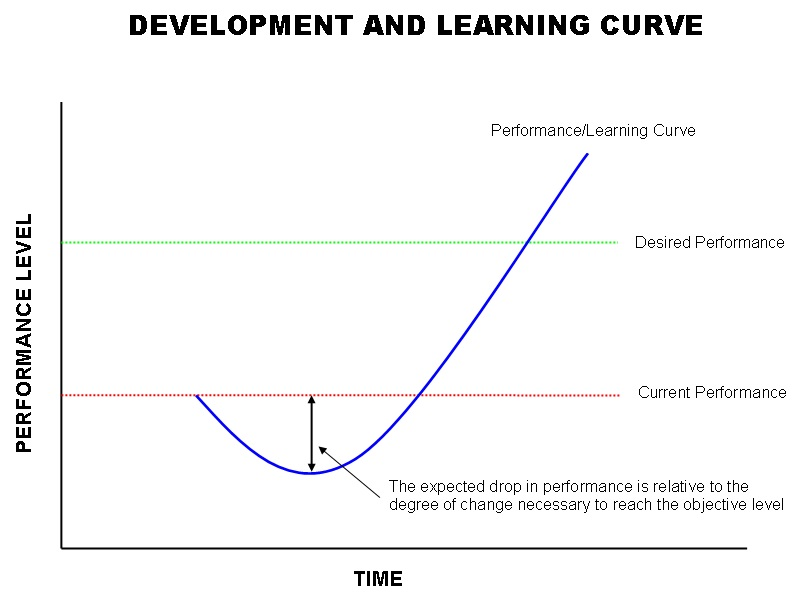

When I joined a golfing league, the course had a coach who would watch us warm up and offer quick tips. Sometimes the advice worked right away, other times it made my swing feel worse before it improved. But by sticking with it, my game advanced beyond where it had been. That short dip before the improvement is what’s often called the “J-Curve” or Learning Curve. The same pattern applies when adopting new technologies, and Generative AI, especially coding assistants and agents, is no exception.
Generative AI, and specifically Coding Assistants or Agents, will have the same impact on Software Engineers. I want to provide tips, just like my golf coach, to Software Engineers on how to use these tools to help push out proofs of concepts, application enhancements, and defect fixes faster.
The Software Engineer
“How much time can it actually save?” is only a question that can be answered when a Software Engineer has dedicated enough time after using the tools. When getting acquainted with how these tools work, we have to go back to when we were learning how to program.
Remember all those buzzwords we forgot or put in our memory after we got our first job? Well, with Generative AI tools these days, it can stay there. The Natural Language Processing in these Large Language Models is highly performant; you don’t need to speak to it as if reading from a textbook. Defining requirements as if you were discussing code with a co-worker is suitable. These tools pay the biggest dividends when you want to automate something mundane like creating Plain-Old-Objects.
Prompt Example: Create me a plain-old-Java-object that utilizes the Spring data annotations for a guitar; include properties such as numberOfStrings, bodyWoodMaterial, fretboardWoodMaterial, bridgeType, etc. Use annotations for getters and setters.

The task of creating models, wiring them up to databases, and writing Data Annotations can be very slow and manual. But with a good prompt, GenAI can whip you out a great head start on something. Even better is if the model for an object is defined in the requirements for the story you are working on, copy and paste those into the chat and the instructions, and you’ll be done quickly.
But logic is a bit different in terms of how GenAI handles the coding for these, but it’s definitely doable. Context is key when defining logic for using GenAI for logical methods, such as in Business Logic Layer or Service classes. Define what parameters you will be working with, even better if you can define the classes if you’re not using primitive types. Define the implementation steps of what the method is supposed to do, and inform the LLM what the output should be. Again, casual conversation is key here, the LLM has been built to process the language you provide it, but getting too overly technical may cause hallucinations or bad results from the tool.
Tip! You don’t need to be uber technical, but include specifics when you feel you need to, things like framework version, object types, etc, where the LLM can attune its response to your needs.
And lastly, bug fixing. We all had to learn how to troubleshoot the output in system logs or consoles of what an error actually means and where it was thrown. Well, that isn’t the case anymore! Copy the error from the log and throw it in your tool. If the tool is built into your IDE it may have context to find exactly what file and what line the error is occurring on and recommend changes. If not, if you’re using something like ChatGPT or Claude Code as a Chatbot, it can give you recommendations on what the error is and how to fix it based on the error or exception alone.
You can also define what a bug is doing, perhaps an object is binding null in your form, and you’re not sure why. You can ask your tool for assistance on what is occurring, and it will try to infer what the problem is and how to solve it. This particularly saved me when posting an object from a form to an API; the whole object was null on the API, and it was due to a spelling discrepancy between the two systems.
Generative AI isn’t a fad; it’s reshaping how engineers build and deliver software. The biggest gains come when developers invest the time to learn where these tools shine: rapid prototyping, boilerplate generation, and faster debugging. Leaders should create space for experimentation and identify the workflows most ready for acceleration. Don’t wait for the curve to flatten, start small, start now, and turn AI into a core advantage for your teams.o